Camera configurations#
A camera configuration is the subset of available viewpoints a policy
receives as input. The dataset carries every viewpoint, and the configuration
is selected at training time via --cameras, so all configurations are
trained on the same demonstrations.
Available viewpoints#
The reference scene config (lift_cube_6cam.json) defines six streams:
Name |
Mounting |
Description |
|---|---|---|
|
On the gripper |
Egocentric, moves with the end effector. |
|
External |
Facing the robot across the workspace. |
|
External |
Lateral views from either side. |
|
External |
Overhead, looking down onto the workspace. |
|
External |
Opposite the front camera. |
External viewpoints are defined as azimuth, elevation, and radius on a hemisphere around the workspace, so intermediate positions are a JSON edit, not a code change (Stage 2 — Assembly).
The hemisphere#
Every external viewpoint is one point on a hemisphere centred on the workspace, addressed by three numbers: the azimuth around it, the elevation above the table, and the radius from the centre.
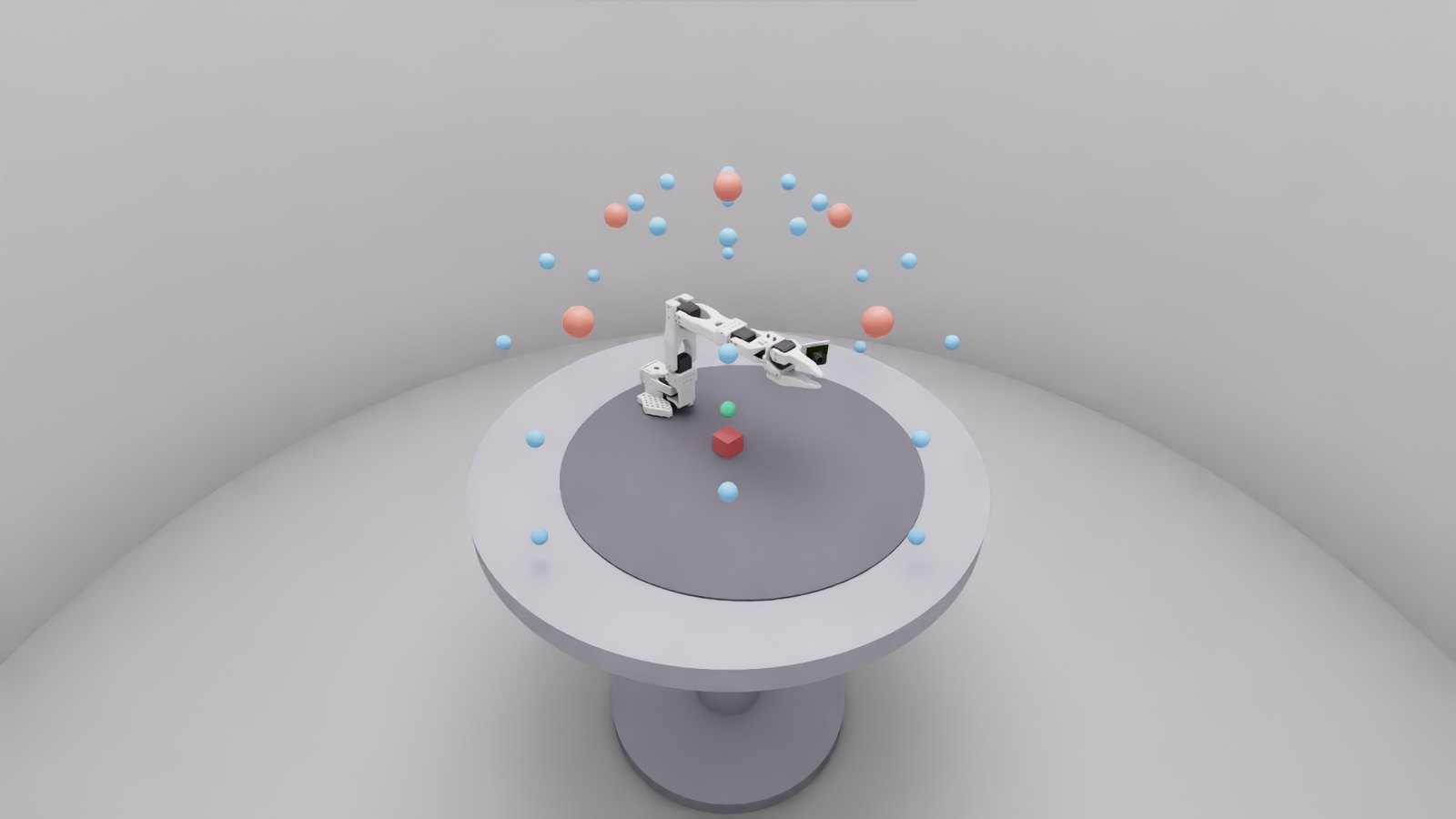
Blue marks a candidate position the grid offers, red marks a camera the shipped six-camera configuration actually uses, and green is the point they all look at, the workspace origin. The wrist camera is not on the hemisphere at all. It rides on the gripper.
The same thing without the room, which makes the three numbers explicit:
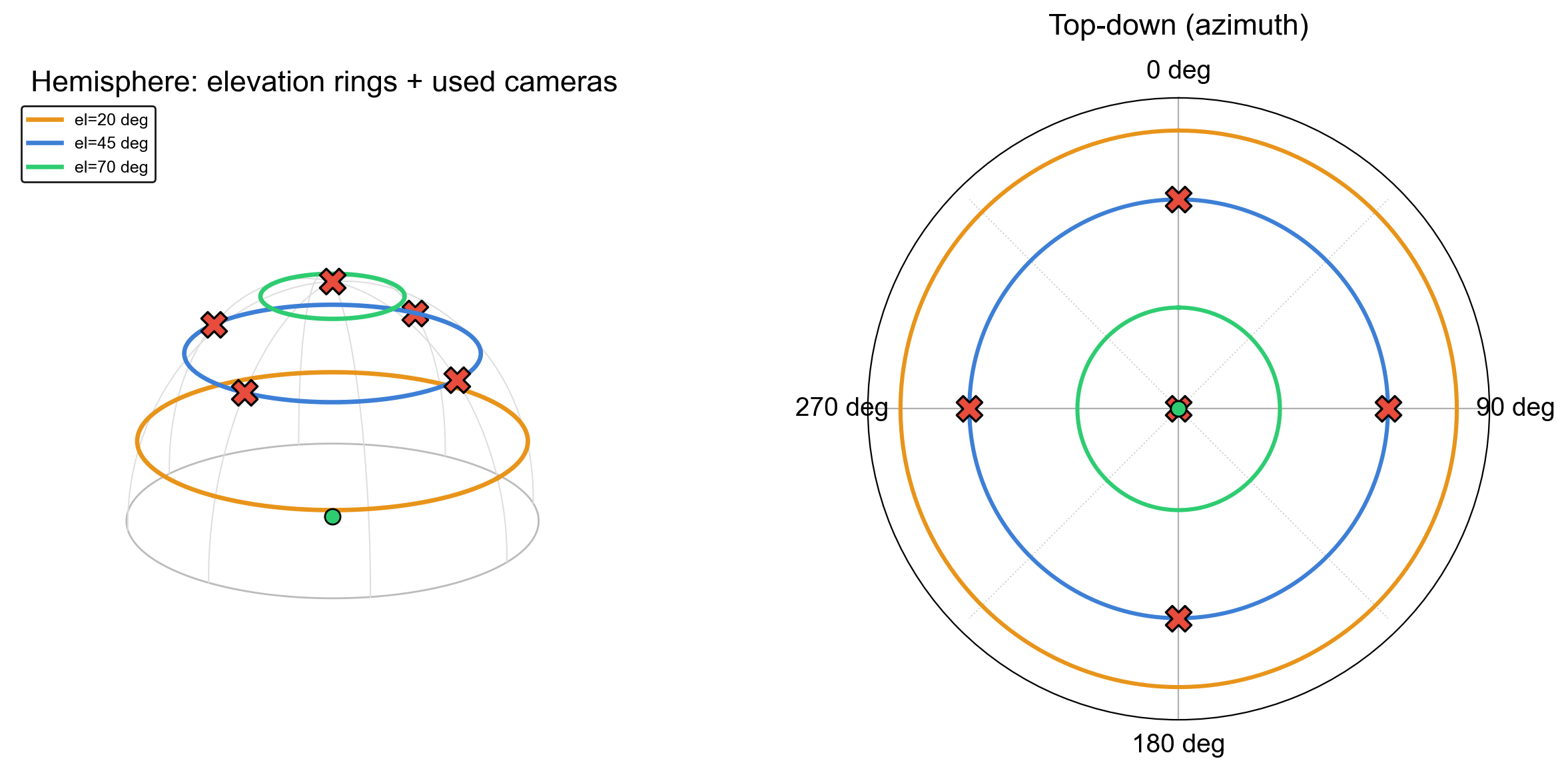
Left, the elevation rings at 20, 45 and 70 degrees, with the cameras in use marked. Right, the same seen from above, where azimuth is the angle around the circle. The four side views sit at 0, 90, 180 and 270 degrees on the 45 degree ring, and the top view collapses to the centre because its elevation is 90.
Seen from above, in the room:
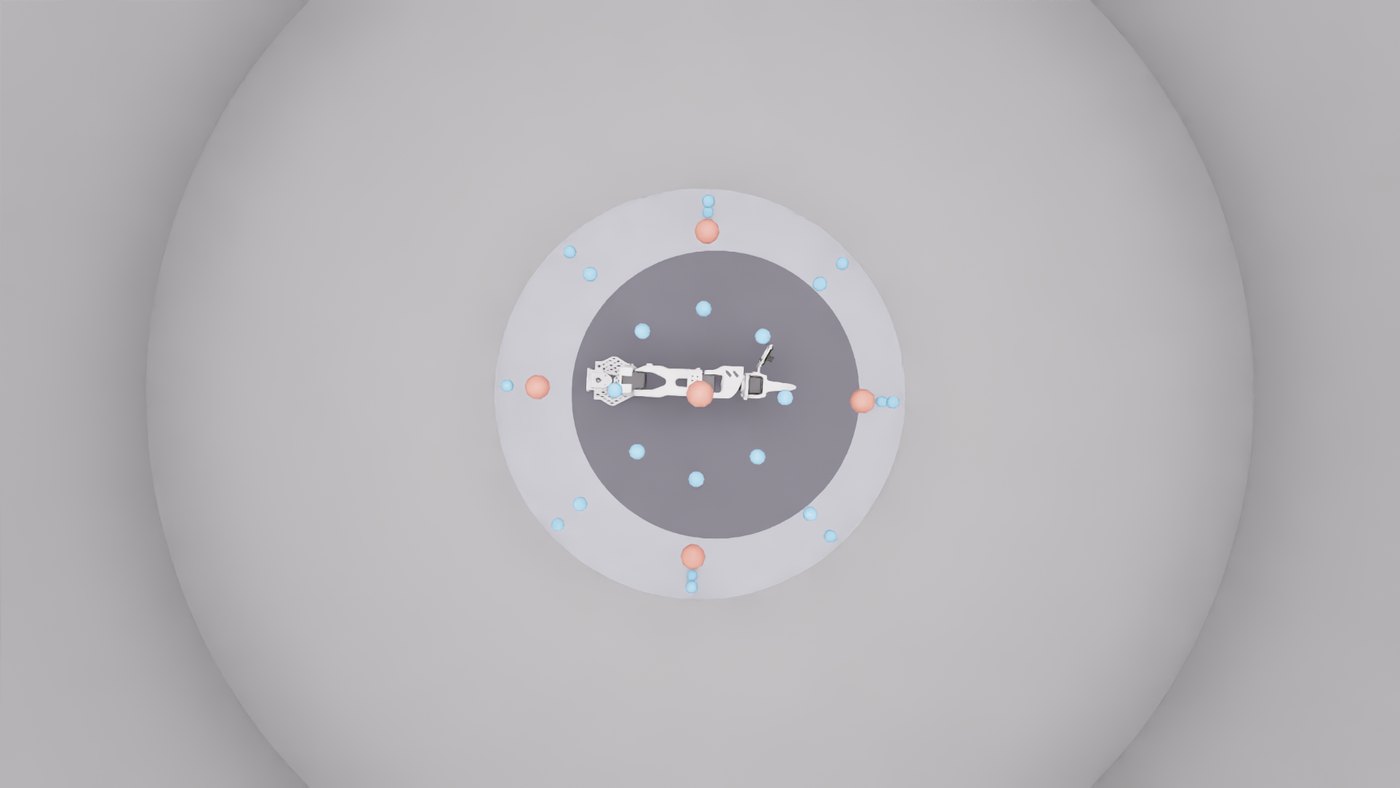
There is also an interactive version you can orbit, at
_static/hemisphere/hemisphere_viewer.html in a built copy of these docs. It
pulls three.js from a CDN, so unlike every other asset here it needs an
internet connection.
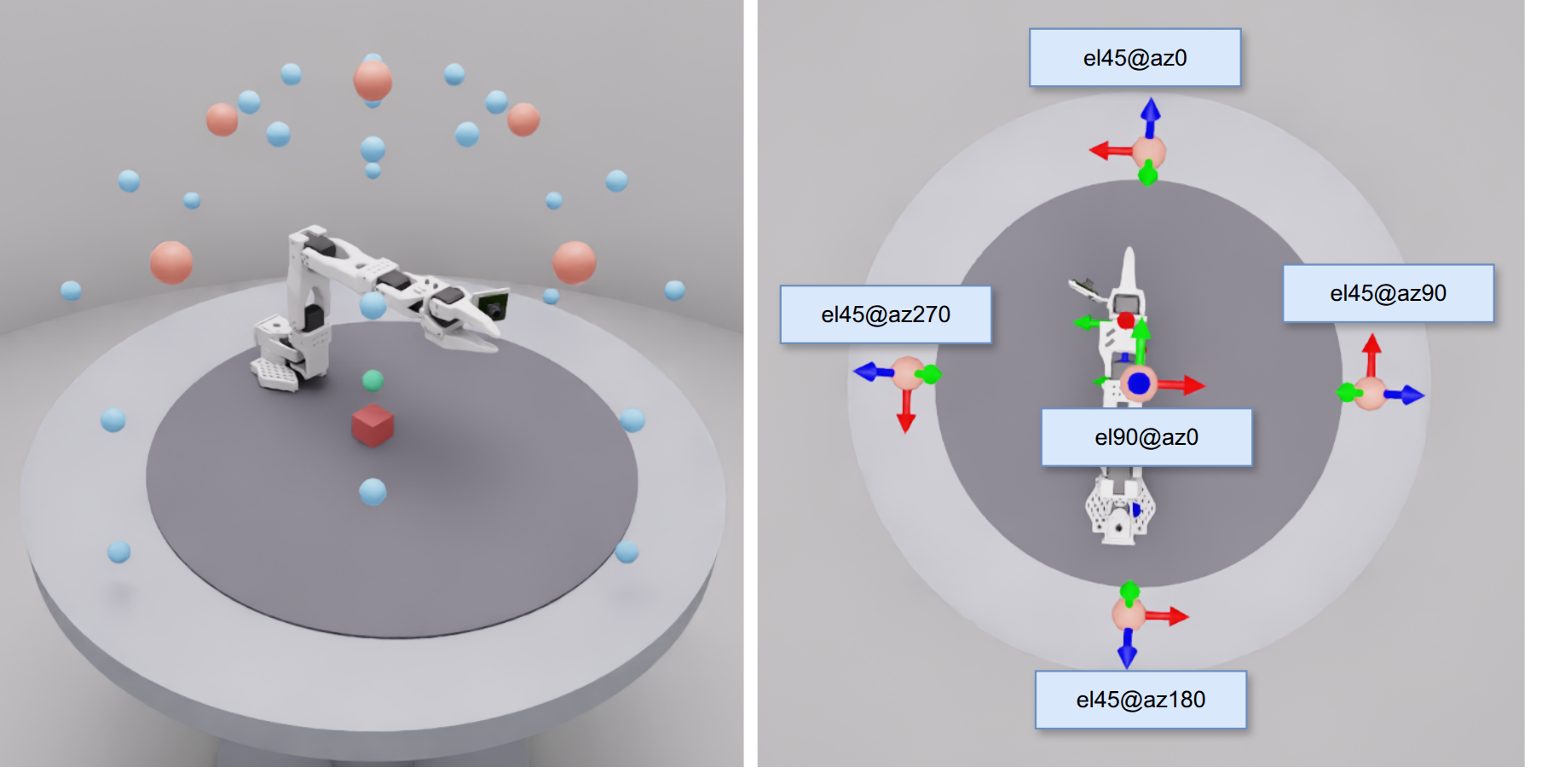
Annotated with the values themselves: four views at 45 degrees elevation spaced 90 degrees apart in azimuth, plus the overhead view at 90 degrees, all at a radius of 0.4 m.
What is shipped#
Three configurations come with the package, under
src/so101_mvbench/tasks/scene_configs/. Every number a camera has is in this
table, because the camera geometry is the experimental variable of the whole
benchmark and should not have to be reverse-engineered from JSON.
The wrist camera is the same in all three and so is left out of the table
below. It has no hemisphere coordinates at all, because it is mounted on the
gripper and moves with the arm: an offset of (-0.005, 0.06, -0.062) m from the
gripper frame, pitched -45°, at a focal length of 2.4.
The external cameras are what differ:
Configuration |
Camera |
Azimuth |
Elevation |
Radius |
Focal length |
|---|---|---|---|---|---|
|
|
0° |
45° |
0.4 m |
default |
|
90° |
45° |
0.4 m |
default |
|
|
180° |
45° |
0.4 m |
default |
|
|
270° |
45° |
0.4 m |
default |
|
|
0° |
90° |
0.4 m |
default |
|
|
|
0° |
60° |
0.661 m |
7.0 |
|
|
0° |
76° |
0.661 m |
7.0 |
The six-camera configuration is the one the corpus was recorded with, and the
one every command on these pages uses. The two realtop configurations exist
for a different purpose: they place a single overhead camera at the distance
and lens of a physical camera rather than on the 0.4 m hemisphere, which is why
their radius and focal length differ. They are otherwise identical to each
other apart from the elevation, 60 against 76 degrees.
Azimuth is measured around the workspace, elevation up from its plane, and the radius from its centre.
Selecting a configuration#
# two views
python -m so101_mvbench.training.train_act_camera_perm \
    --cameras wrist front \
    --dataset merged_6cam_cylroom \
    --dataset_root datasets/04_fused/merged_6cam_cylroom \
    --output_dir outputs/2cam_wrist_front

# three views: the same command with one more camera and its own output directory
python -m so101_mvbench.training.train_act_camera_perm \
    --cameras wrist front top \
    --dataset merged_6cam_cylroom \
    --dataset_root datasets/04_fused/merged_6cam_cylroom \
    --output_dir outputs/3cam_wrist_front_top
Camera names must be keys of _CAMERA_SHAPES in
training/train_act_camera_perm.py and must match the stream names in the
dataset. The camera set is the only variable that differs between such
runs. Dataset, holdout, seed, step count and evaluation protocol are held
constant, and that is what makes the resulting success rates comparable.
Holdout regimes#
Regime |
Holdout |
Question answered |
|---|---|---|
Episode holdout |
a fixed episode subset ( |
Which checkpoint of a run generalises best (checkpoint selection). |
Bin holdout |
whole bins, excluded via |
How the policy behaves at cube positions absent from training. |
Which episodes a run actually trained on must be derived from its
--episodes value and the fused dataset’s MANIFEST_fusion.json — not
from the run name. Details: Stage 3 — Training.
Where to go next#
Stage 2 — Assembly — how the viewpoints are rendered.
Evaluation variants — the task variants a configuration is tested under.
Coordinate frames — how camera poses are expressed.