Stage 5 — Reporting#
Turn the evaluation output into plots and written summaries. This stage needs no GPU and no simulator, and you can re-run it as often as you like: it only reads what stage 4 already wrote.
How to use#
1. Confirm the inputs exist#
Both commands read the run’s eval_summary.json and its
eval_results_random_*.csv. report additionally picks up quality_gate.json
if it is there, and simply omits that section if it is not. Those files only
appear if the evaluation ran with --full_report. If they are missing, the
evaluation has to be repeated. Nothing here can reconstruct them.
2. Report a single run#
python -m so101_mvbench.evaluation.report \
    --dir outputs/2cam_wrist_front/eval_cylroom_async_bin_c0_r0/run01
This writes <eval_dir>/report/ with report.md (plots embedded),
report.txt (same content as plain text, for reading over a terminal) and
six plots, plus a seventh when the run has a discoverable
holdout_episodes.json:
Plot |
What it answers |
|---|---|
|
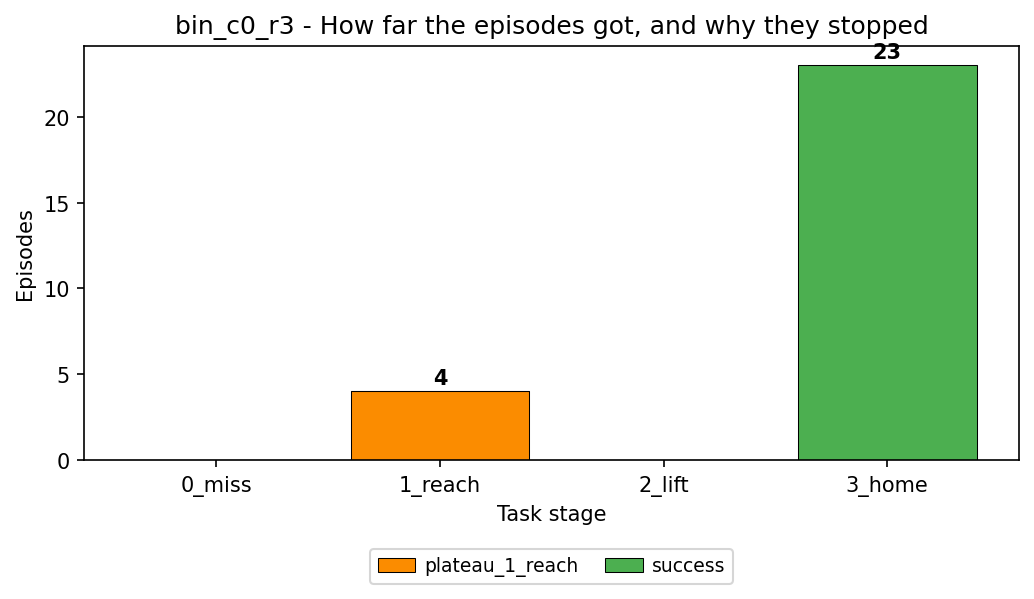
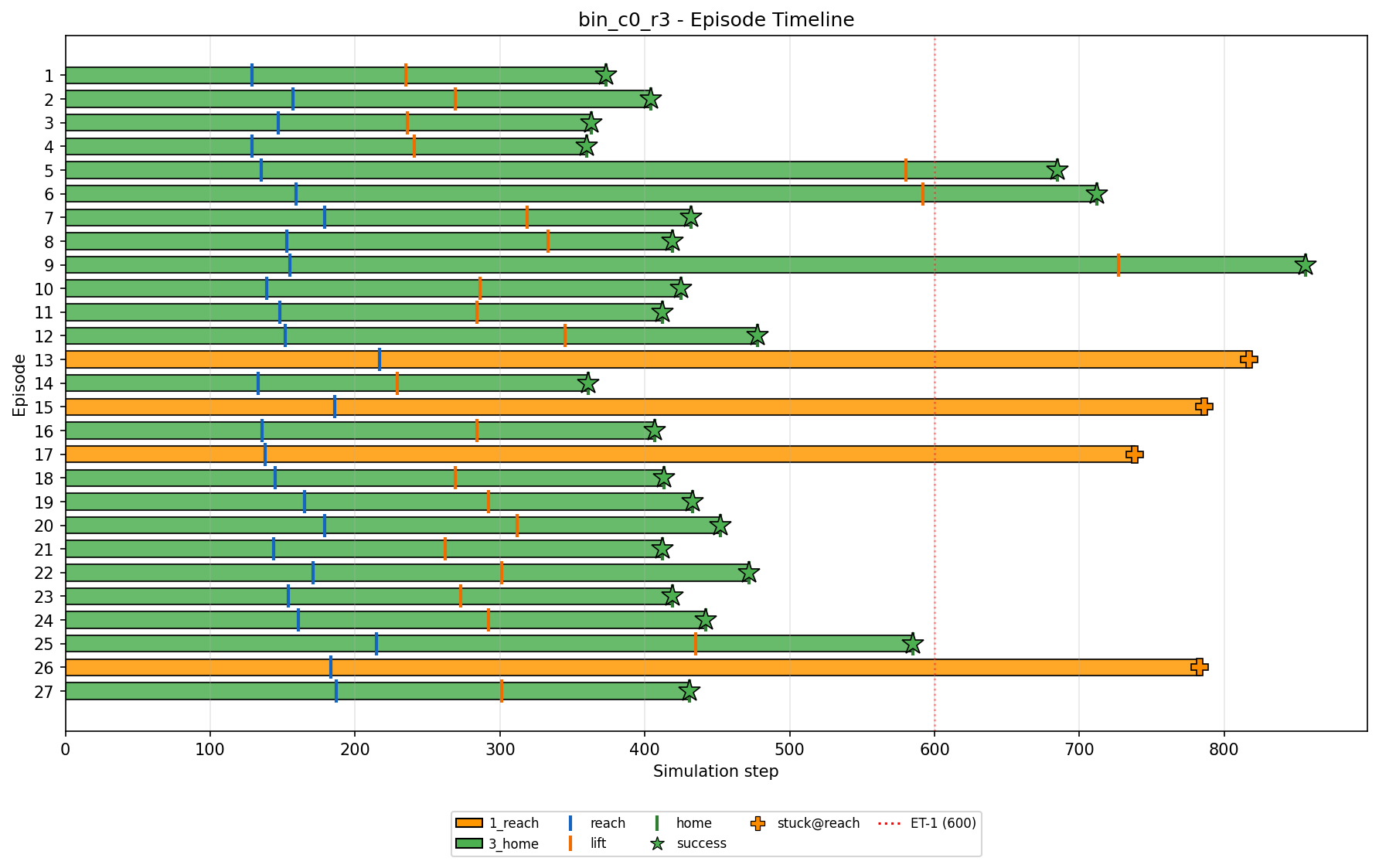
How far did the episodes get, and why did each one stop? |
|
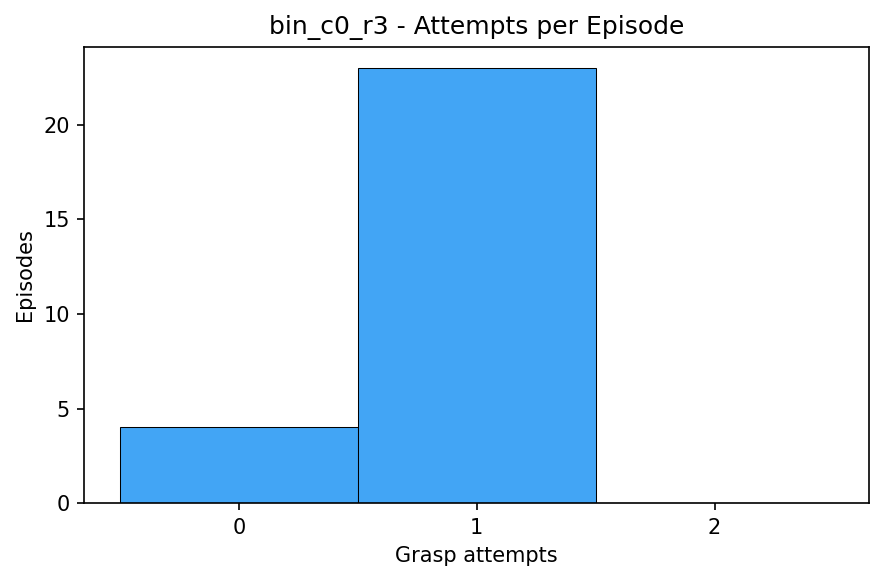
How many grasp attempts per episode? |
|
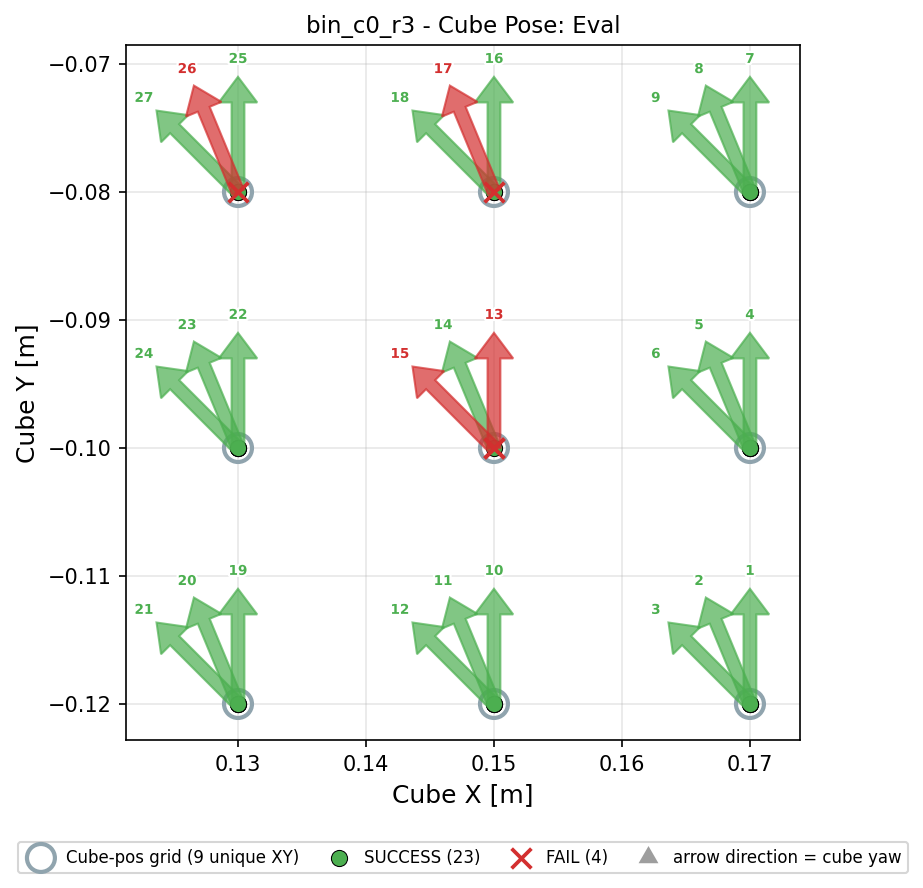
Where in the workspace does the policy fail? |
|
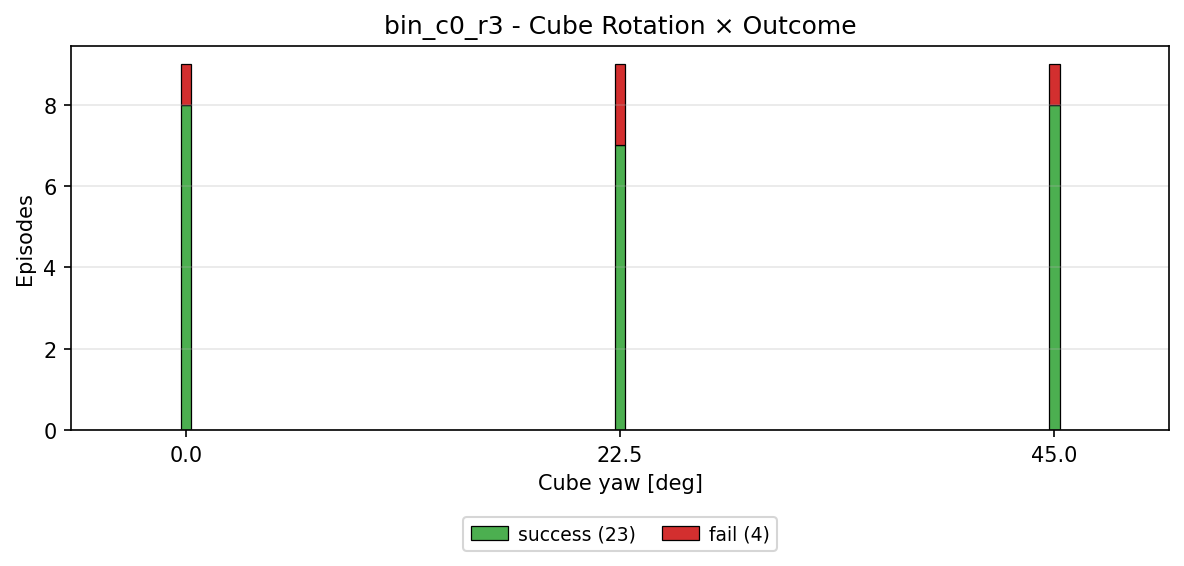
Does failure correlate with the cube’s yaw? |
|
Where does time go inside an episode? |
|
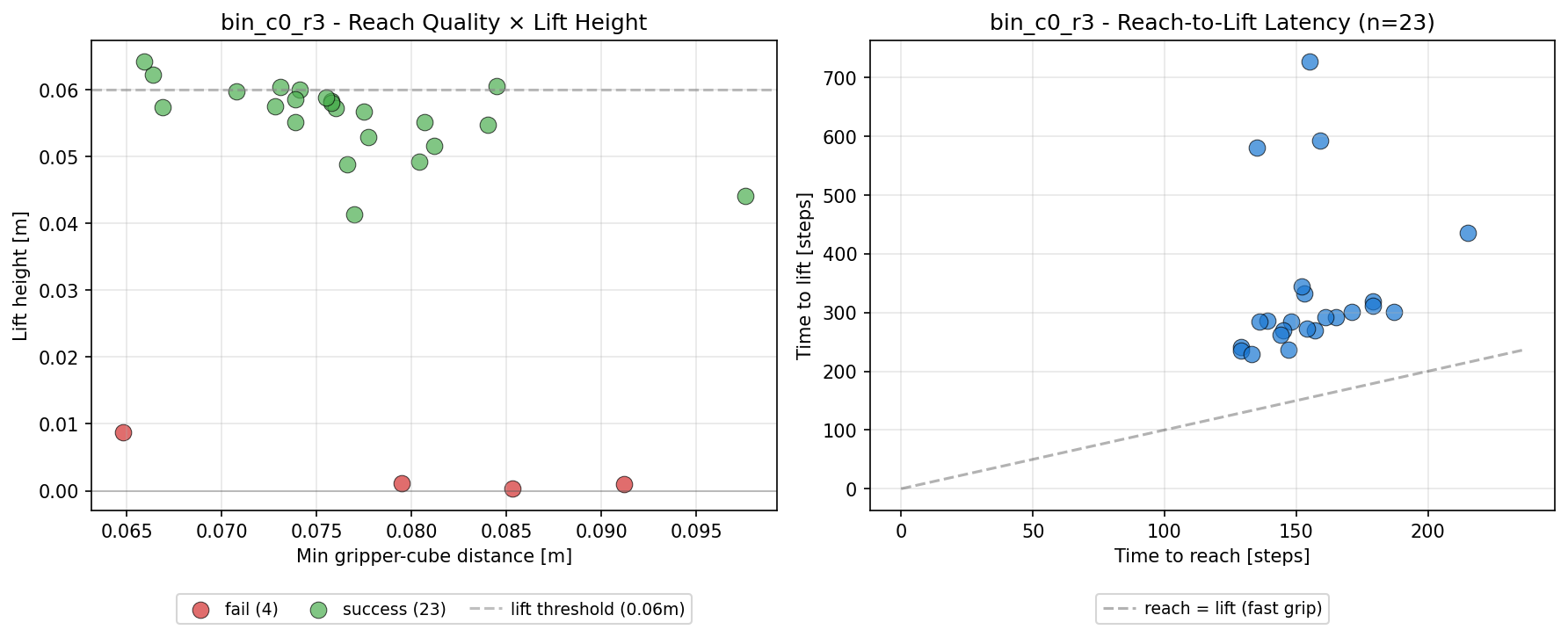
How fast does it reach and lift, how close does the gripper get? |
|
How do the evaluated positions relate to the trained ones? Written only when a |
Stage and termination reason used to be two charts, plus a sunburst of the same numbers. Across 10,800 episodes of the cylinder-room corpus each stage had exactly one dominant reason, so all three showed the same four values. The only episodes that broke the pattern, twelve that timed out instead of plateauing, were invisible in the stage chart. They are a stacked segment now.
Cube yaw comes from binmap.json, the same file the simulator reads when
placing the cube, so plot and scene cannot disagree. Its chart draws one slim
bar per angle that actually occurs, not a histogram: the recorded yaws are a
handful of discrete values, and a five-degree bin would show a range that was
never recorded.
In the episode timeline, the bar colour is the highest stage an episode reached,
the | marks are reach, lift and home, and the marker at the end says why the
episode stopped. report.md spells out every marker that appears in a given
run, so the plot itself stays free of a glossary box.
Lift height in timing_and_distance.png is measured relative to where the cube
started: max_height - initial_cube_z. In the cylinder-room scene the absolute
world Z of every cube sits near the table height, which would clump all points
into one band.
3. Aggregate the repeats#
A campaign runs each policy-and-bin cell several times with the same seed. The spread across those repeats is the noise floor of the measurement, so a single run is never the answer:
python -m so101_mvbench.evaluation.aggregate_report \
    --run_dirs outputs/2cam_wrist_front/eval_cylroom_async_bin_c0_r0/run* \
    --output_dir outputs/2cam_wrist_front/eval_cylroom_async_bin_c0_r0/aggregate
This writes aggregate_report.md, aggregate_report.txt,
aggregate_summary.json and four plots under plots/:
Plot |
What it answers |
|---|---|
|
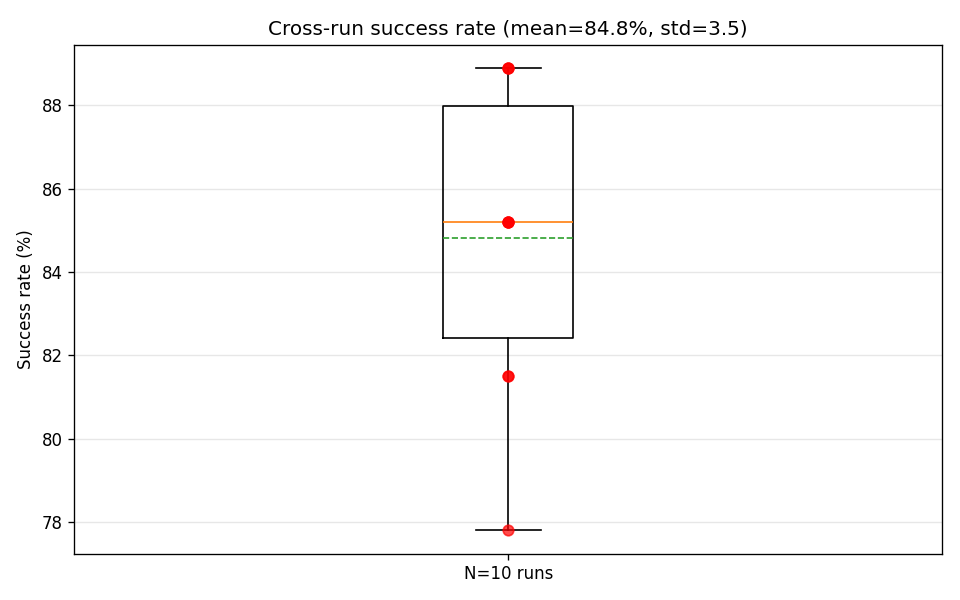
How stable is the success rate across repeats? |
|
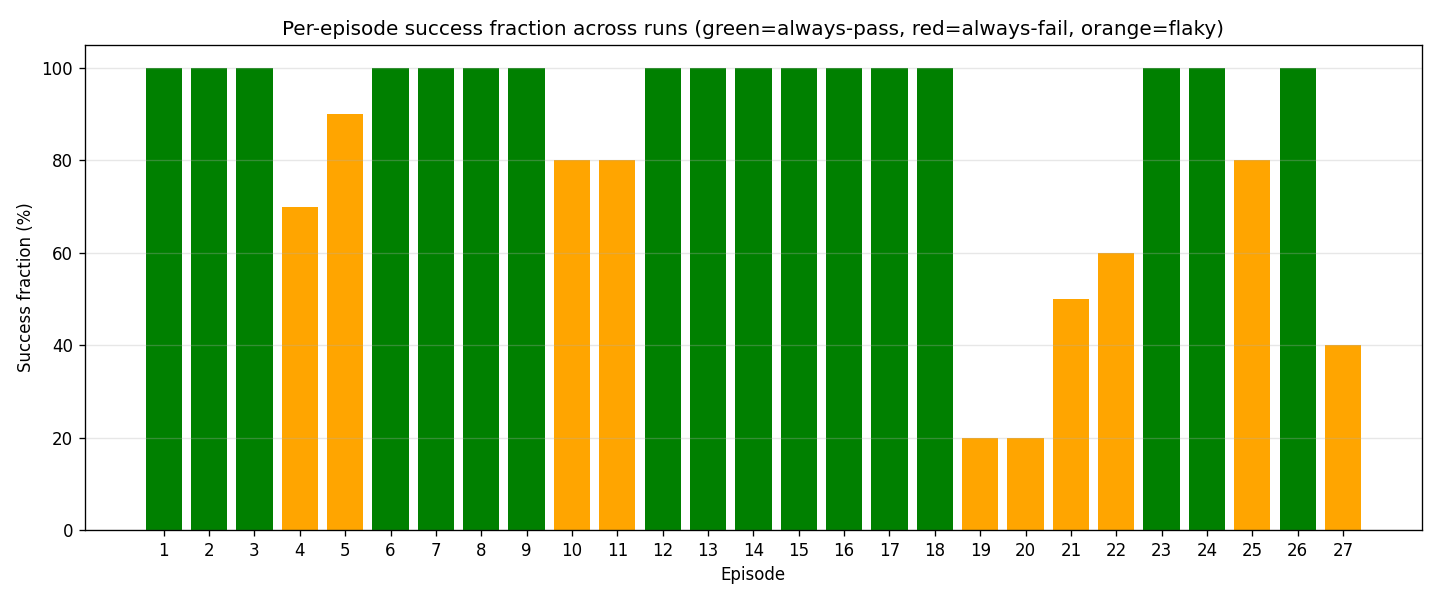
Which individual episodes are flaky? |
|
Does the number of attempts vary between repeats? |
|
Did the failure mode shift in some repeat? |
4. Read the numbers honestly#
Report the mean with the spread. A difference between two camera sets that is smaller than the cross-run spread is not a finding.
Report the conditions next to every number: episode count, which bins, which checkpoint step, how many repeats. A success rate without them cannot be compared to anything.
Episodes sitting near 50 % in
per_episode_success.pngare flaky rather than failed, and usually sit at the edges of the workspace.
What the plots look like#
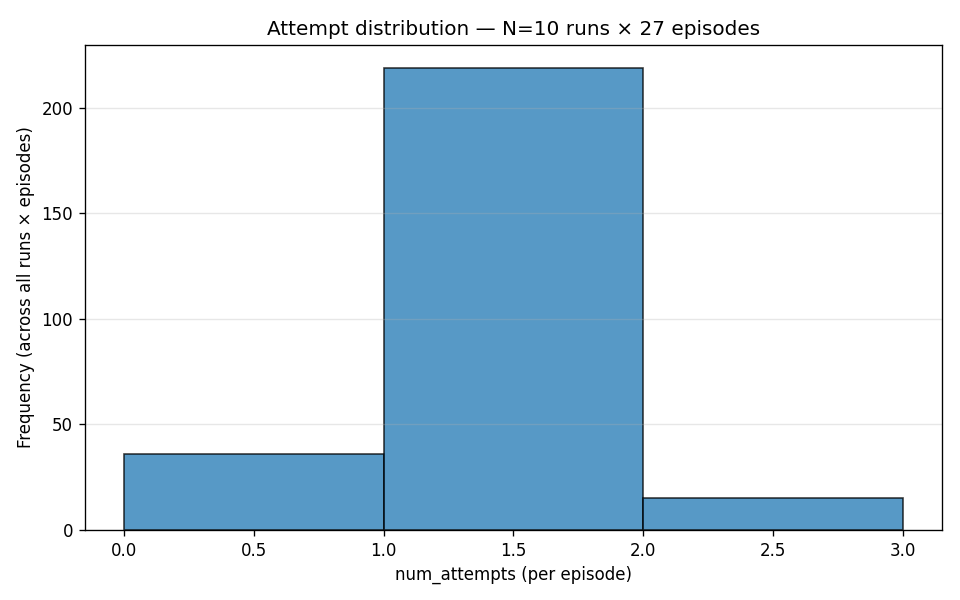
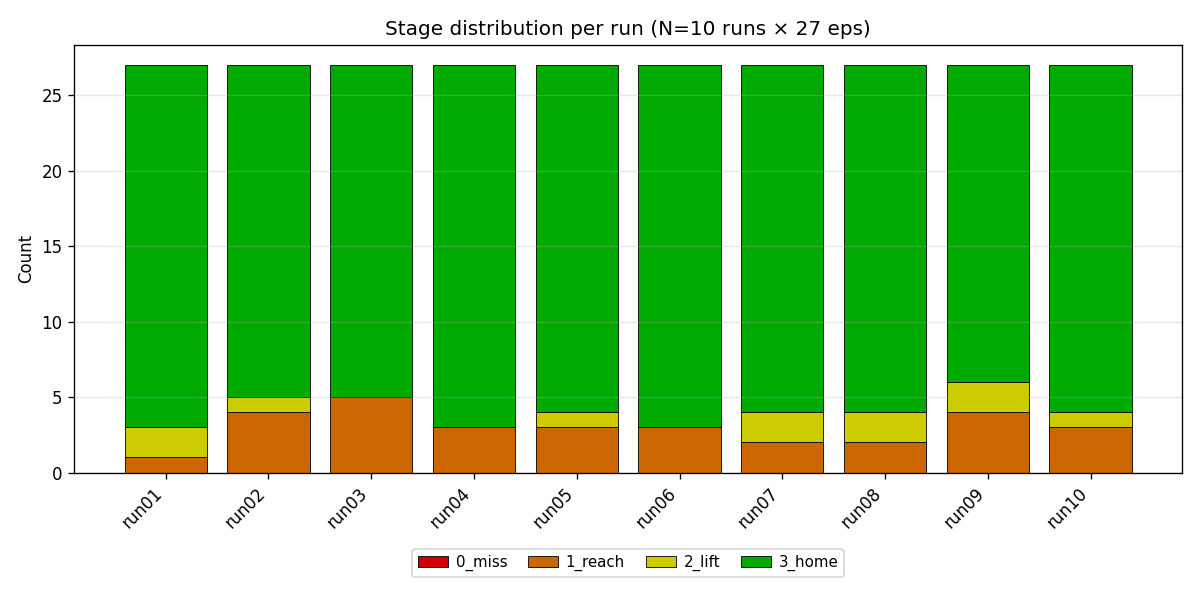
Left, one policy failing and then succeeding. Right, the report for that same bin.
From one development run, as a format reference. Your numbers will differ.
Where to go next#
Stage 4 — Evaluation — produces the input files
evaluation/METRICS.mdin the repository — what every CSV column means